
Welcome to Signmax.us Forum
WinPCSIGN BASIC - PRO Welcome to Signmax.us Forum
Author Message

<  Training video of WinPCSIGN   ~  How create Rhinestones patterns with Pro versions

ivan
Posted: Tue Mar 23, 2010 8:36 pm Reply with quote
Joined: 19 Apr 2007 Posts: 316 Location: Montreal
Normally vector file is the result of a vectorized image. You can also import vector file like a AI, EPS, DXF etc. You can also apply rhinestone (strass) over the picture to create an cutting or printing patterns:

Watch video: Introducing the WinPCSIGN Pro 2012 Rhinestone Features

Watch video: How convert a vector drawing to rhinestone patterns


Watch video: How to add different form around a shape


Watch video: How to create a patterns of an image using center line vectorization


Watch video: How to convert any text to center-line to create rhinestone


Watch video: Cutting rhinestone with Signmax plotter


You can also watch the video of Sandy Jo Pilgram
Rhinestone template
Rhinestone Fonts & How to Size your..


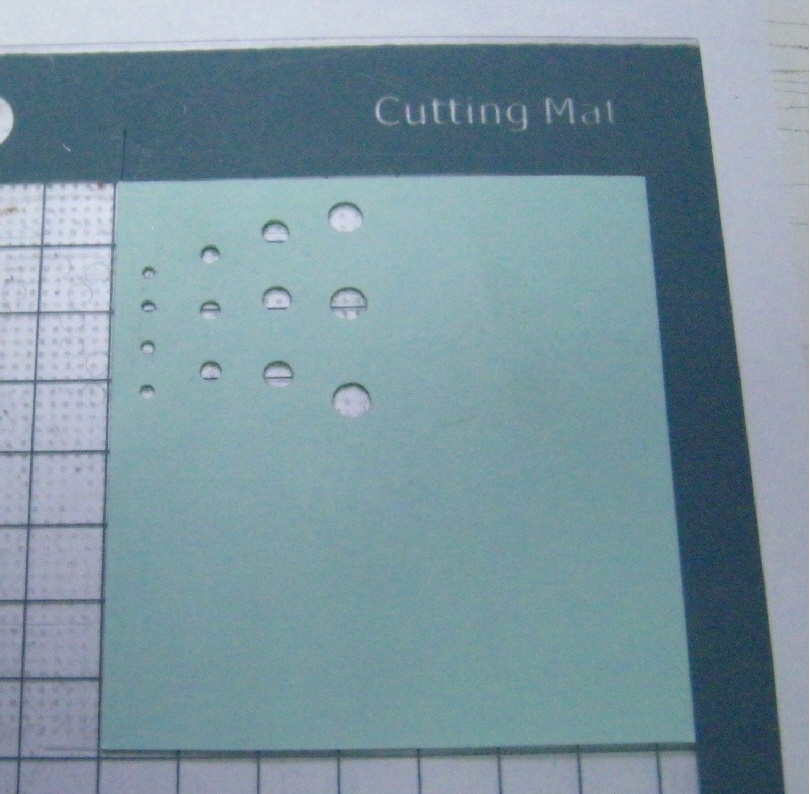
Very important, before starting to cut check if your 60 degree blade cross rhinestones material:


Watch video how to change a blade

We recommended RhineStone Stencil material 25 mil

We also recommend for a better cutting result, stick the rhinestone material on a cutting mat:


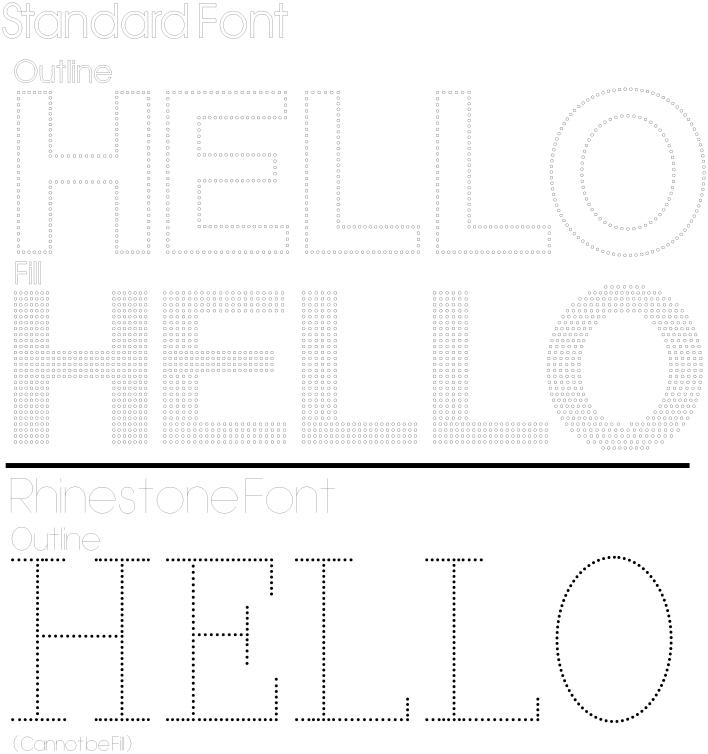
What is difference between Standard and Rhinestone fonts


In order to fill a design with rhinestone, the path of your design must be closed

_________________
Ivan Polanco, customer services
Signmax.us Profesionnal signmaking ressources
View user's profile Send private message Visit poster's website

Display posts from previous:  

All times are GMT
Page 1 of 1
Post new topic

Jump to:  

You cannot post new topics in this forum
You cannot reply to topics in this forum
You cannot edit your posts in this forum
You cannot delete your posts in this forum
You cannot vote in polls in this forum